
From discovery workbook to configured tenant
Accelerate automates the repeatable middle of an Acumatica implementation. Here is each step, what the software does, and what your consultant still decides.

What Accelerate takes on
Most of an Acumatica implementation is judgment. Understanding how the client actually runs, deciding how to model it, and carrying the people through the change. That work is why they hired you.
A smaller part is repeatable execution: configuration screens, data loads, the same setup rebuilt from scratch on every engagement. That part consumes a disproportionate share of the hours and none of the credit.
Accelerate takes the second part and leaves the first alone.
The five steps
Step 1: Connect the target environment
You provide. The Acumatica instance the project is being built in.
Accelerate does. Connects to the tenant directly, so configuration lands in the live instance instead of in a document somebody has to re-key.
You decide. Which environment, and when the work is ready to point at production rather than a sandbox.
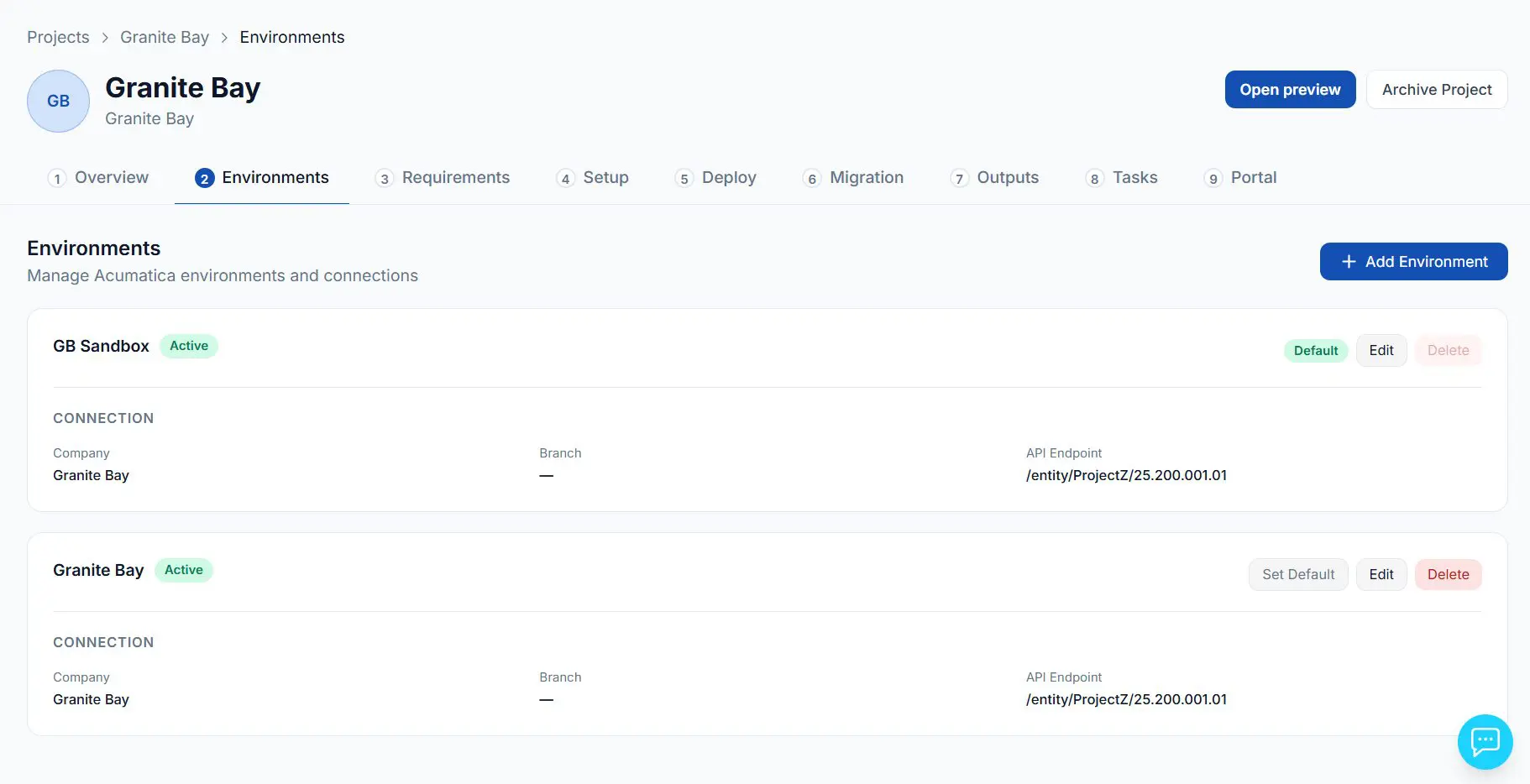
Connect the Acumatica instance the project is being built in. Sandbox first, production when you are ready.
Step 2: Capture the requirements
You provide. The structured discovery workbook your client completes, reviewed and signed off by your consultants.
Accelerate returns. An Acumatica implementation plan: which modules to enable, at what priority, and the specific client requirement behind each one, cited by requirement ID so any recommendation traces back to its source.
You decide. Whether the scope is right. Nothing moves forward until you have reviewed and adjusted it.
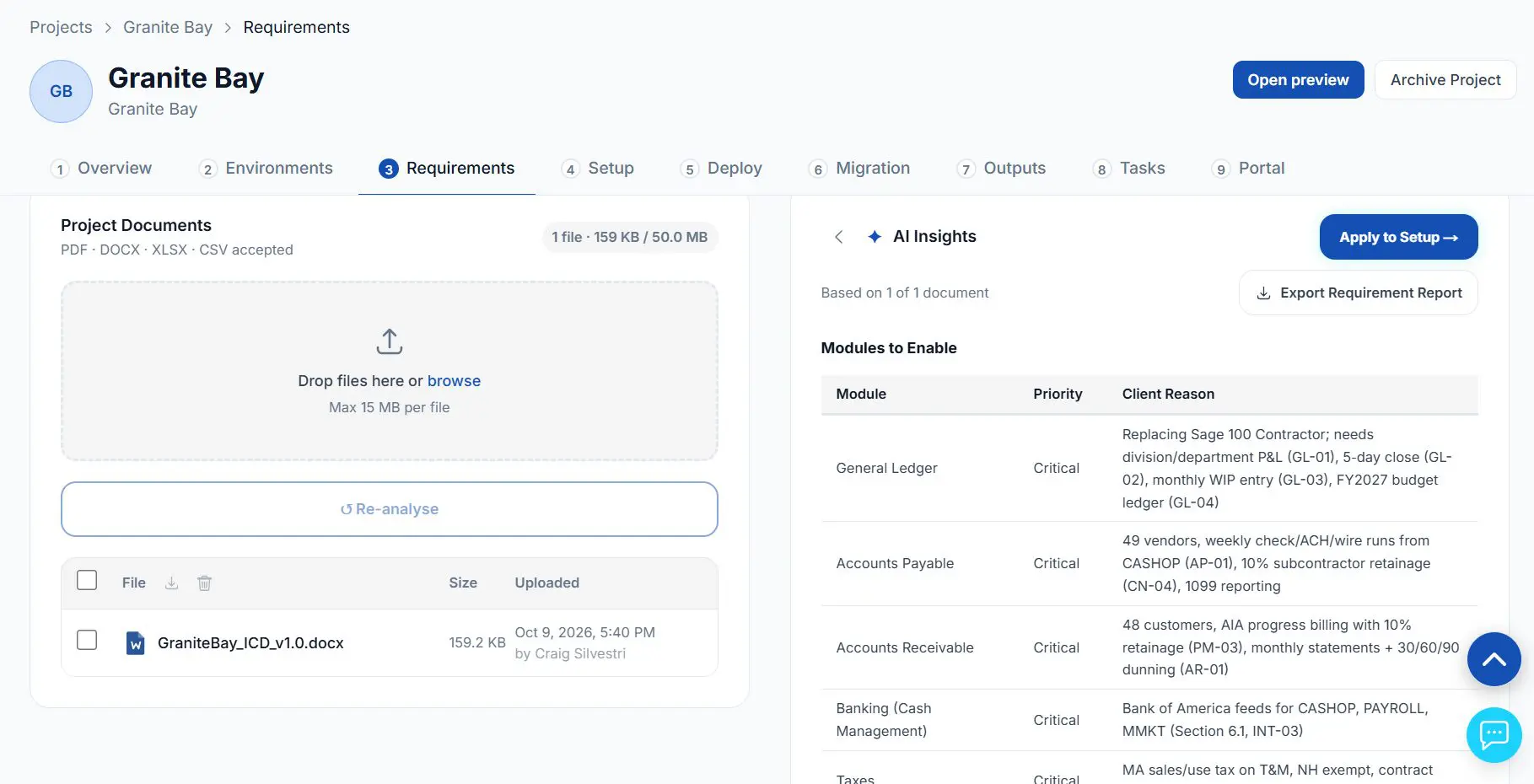
Accelerate ERP reads the approved design and returns the modules to enable, with the client requirement behind each one.
Step 3: Generate the setup plan
Accelerate does. Builds a structured configuration plan across every module area in scope: system administration, general ledger, cash management, accounts receivable, accounts payable, tax, inventory and sales orders. Companies, branches, numbering sequences, segment keys, account classes, chart of accounts, subaccounts, ledgers, financial year, payment methods, cash accounts, customer and vendor classes, payment terms, posting classes, units of measure.
Pre-filled from. The requirements analysis in step two, so the plan starts from the client’s actual needs rather than a blank template.
You decide. Every item. The generated plan is a starting position, not a finished configuration.
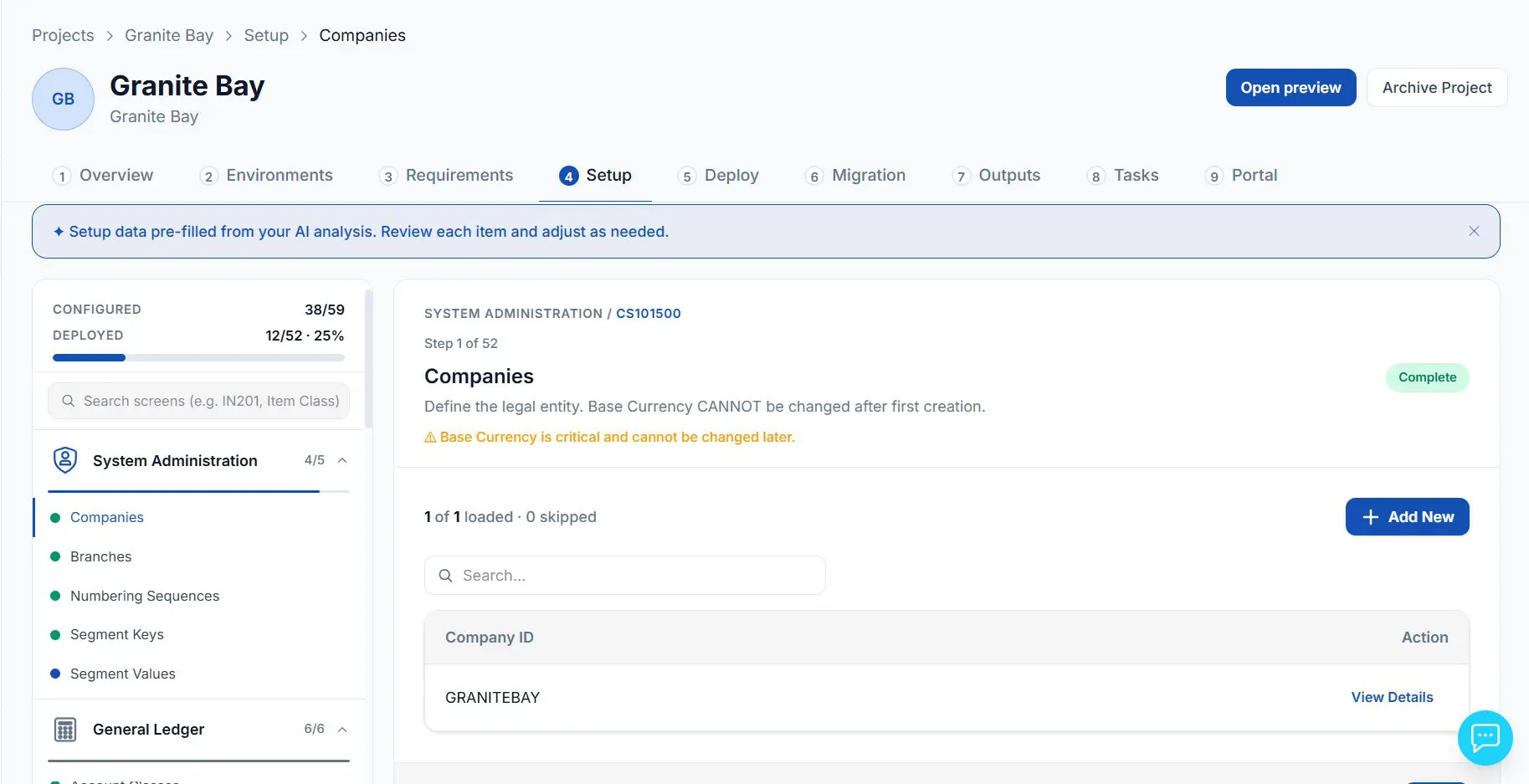
A setup plan across every module area, pre-filled from the requirements analysis and organized by Acumatica screen. Your consultant reviews each item.
Step 4: Deploy to Acumatica
Accelerate does. Pushes the configuration into the tenant, module by module. Each step reports what it created and how long it took: account classes, chart of accounts, subaccounts, ledgers, general ledger preferences, financial year.
Worth knowing. Records that already exist are detected and skipped rather than duplicated, so a deploy can be re-run safely after a change.
You decide. When to deploy, and what to do about anything that does not land cleanly.
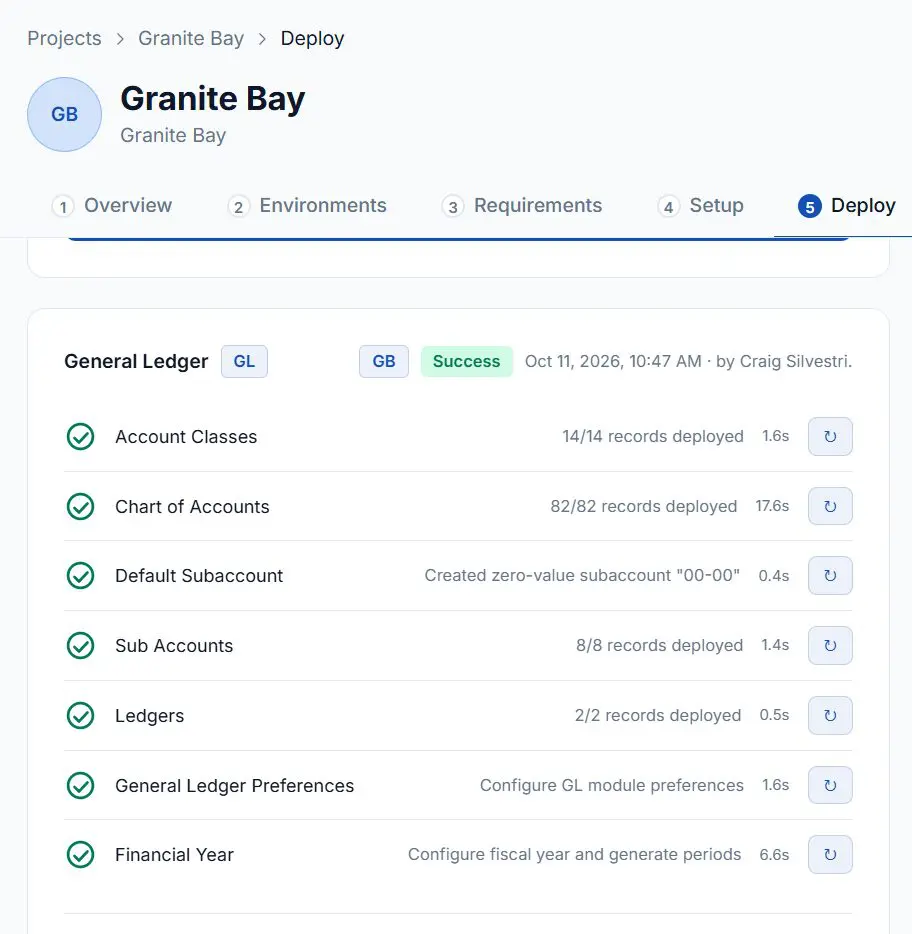
General ledger setup for Granite Bay, deployed step by step. Each line reports what was created and how long it took.
Step 5: Migrate the data
You provide. Customers, vendors, stock items, non-stock items and trial balance, using the supplied templates.
Accelerate does. Validates every row against the target structure first, then pushes only the rows that pass. Failures come back row by row with a downloadable report.
You decide. The mapping calls, and what happens to the rows that do not pass validation.
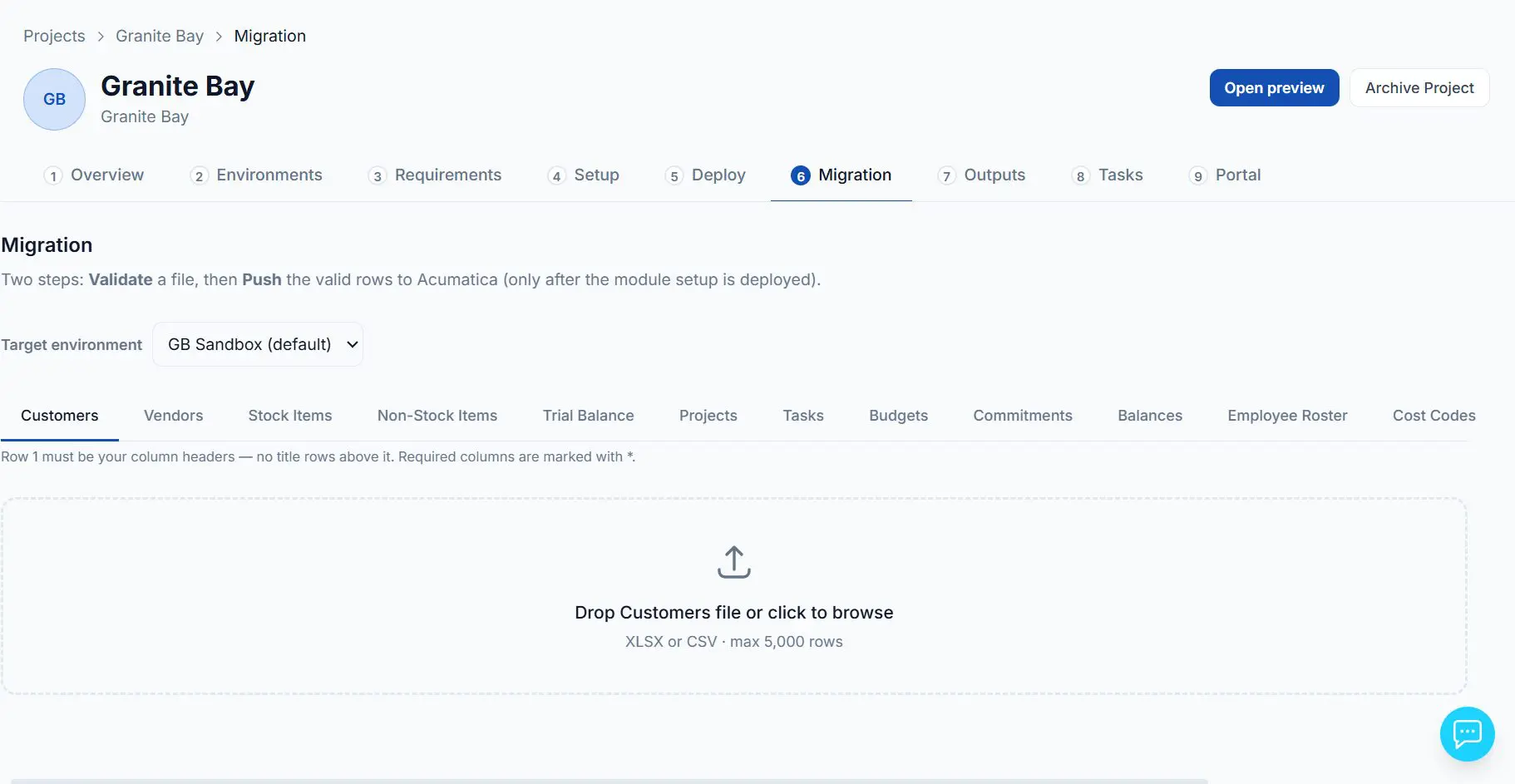
Upload a file, validate every row against the target structure, then push only the rows that pass.
The documents come out of the work
The Testing Plan and the Go-Live Plan are generated from the project’s actual configuration rather than written from a template, previewed for review, approved, and downloaded as branded documents.
An Implementation Plan is generated the same way.
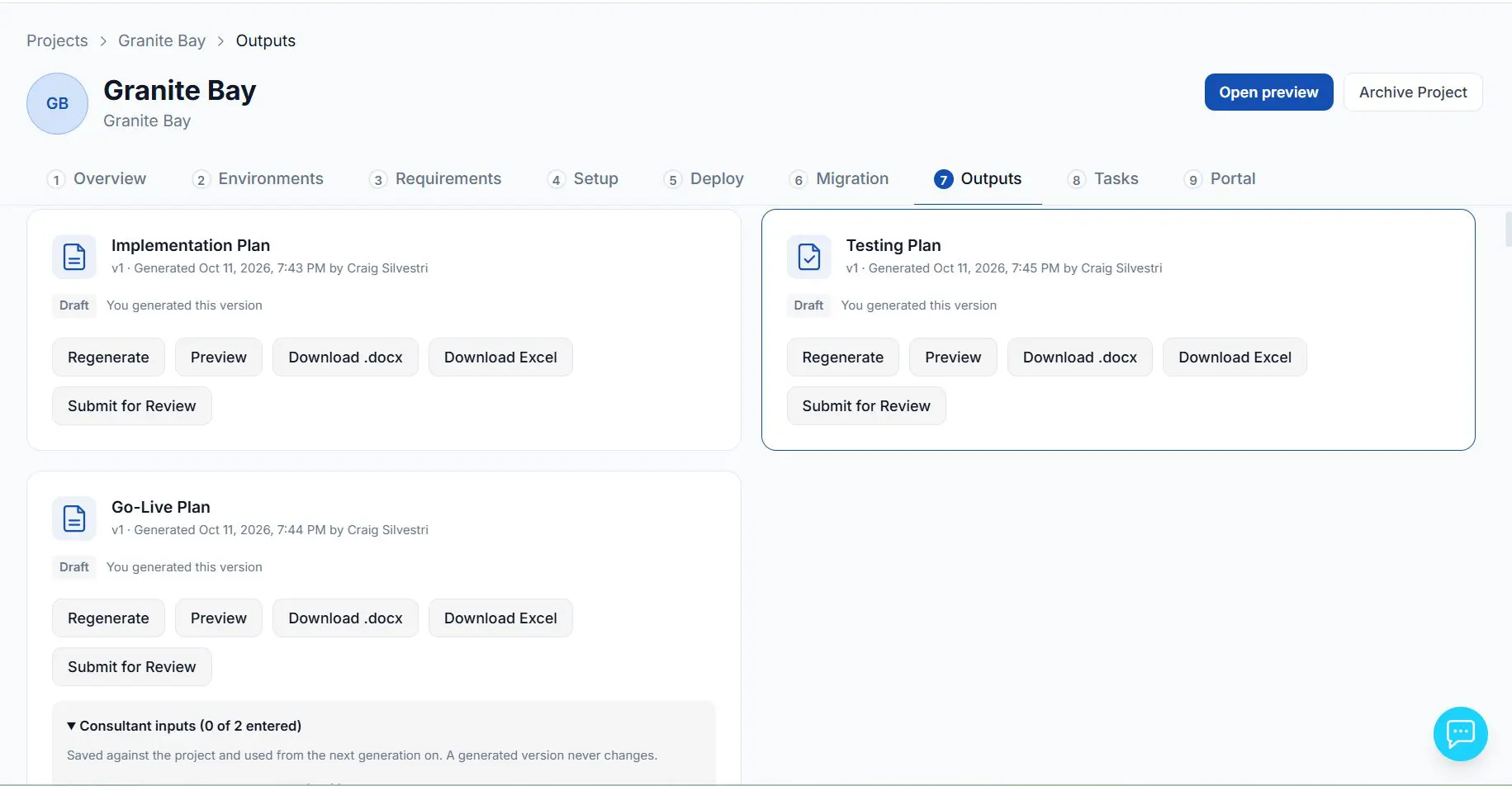
The Implementation Plan, Testing Plan and Go-Live Plan for Granite Bay, each ready to preview, download or submit for review.
Every project comes with its plan
Each project starts with a task list organized by phase, from discovery and planning through each module’s configuration. It is an internal project plan that both your delivery team and your PMO can work from. Assign owners, set start and due dates, and follow status in a list, board or calendar view. Tasks tied to a step in Accelerate ERP mark themselves done when that step is completed, so the plan keeps up with the work. Export the list to Excel at any time.
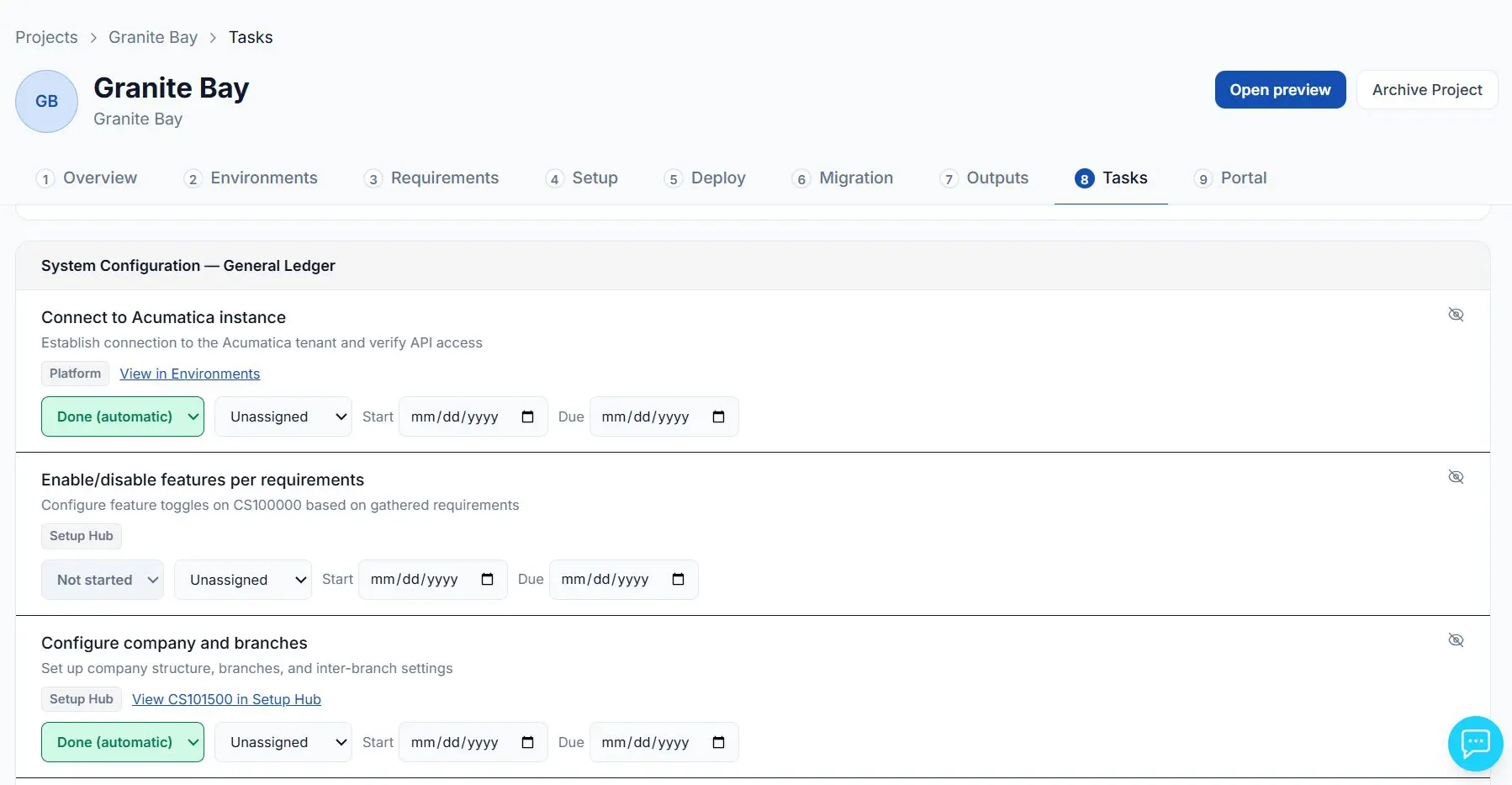
General ledger tasks for Granite Bay. Tasks tied to a platform step show as Done (automatic) once that step is completed.
Your customer watches it happen
Every implementation gets a portal for the end customer. They see progress, days to go-live, a phase tracker, and exactly what is waiting on them.
Document requests live there instead of in email. Request with a due date, customer uploads, consultant accepts or asks for a revision, and the whole history is recorded. Action items run from open to responded to resolved, with threaded discussion. Key deliverables can be sent for customer review, with an approval record of who signed off, on what version, and when.
It carries your branding, not ours. A partner can white-label the product across the consultant application and the portal. A consultant can put the end customer’s own logo on that customer’s portal.
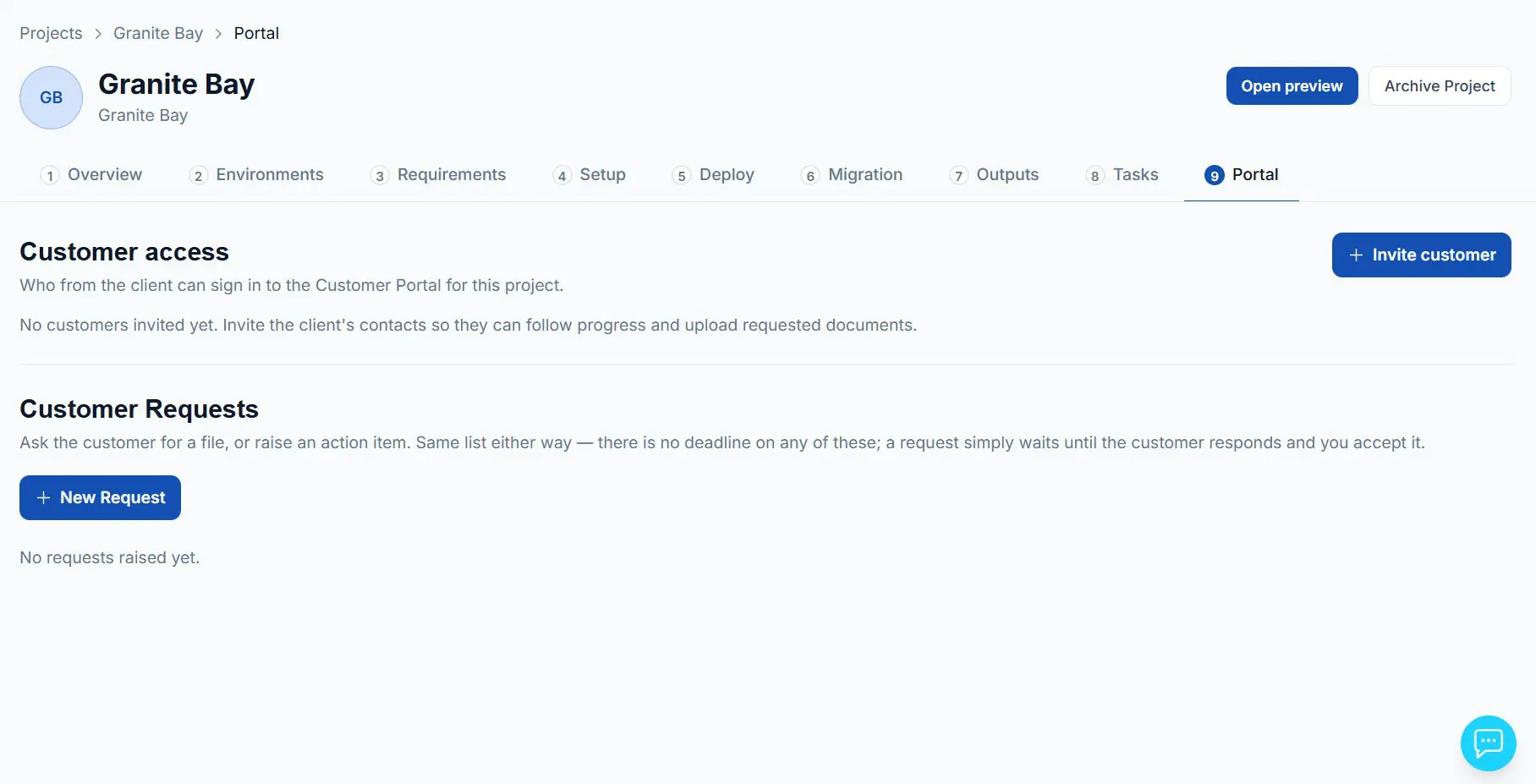
From the project, invite the client’s contacts to the portal and raise requests for files or action items.
Distribution and Construction
Arrives with the January 2027 release.
General Business is the financial core. The Distribution and Construction editions extend the same pipeline into inventory, order management, project accounting and construction.
Project Accounting
Account groups and GL mapping, cost codes, project templates and task structures, billing and allocation rules, employee master data, labor items, labor cost rates by employee and by labor item with effective dates, and the time entry configuration behind them.
Construction
Cost codes as the costing dimension, change order classes, compliance document types and statuses, retainage in AP and AR, subcontracts and commitment tracking. Projects are routed into the Construction suite automatically when the requirements analysis detects construction indicators.
In practice
The goal goes past master data: a migrated employee enters a timecard, it routes through approval, releases, and posts labor cost to the project at the expected rate.
What Accelerate does not do
It does not run the discovery conversation. It does not decide how to model the client’s business. It does not manage the change, train the users, or own the relationship.
It does not automate historical data migration. Bringing prior-period GL activity and open AP, AR and PO documents across is a documented procedure using Acumatica Import Scenarios and supplied templates, not a one-click import.
Those first three are the parts of an implementation a client is actually paying for, and the parts your consultants are good at. What Accelerate takes is the work in between: the configuration screens, the data loads, the repeatable execution that has to be right and has to be done by somebody.
Where we are right now
Accelerate ERP is in beta, with general availability planned for January 2027. The launch scope is three Acumatica editions: General Business, Distribution and Construction. The customer portal arrives with the GA release.
We are working with a small number of founding partners ahead of GA. If your practice delivers Acumatica implementations and you would rather shape the product than evaluate it a year from now, that is the conversation we want.